Connect from
anywhere.

Control it from your phone or from another computer; add modules from the store to manage your displays, your network and your TV too.

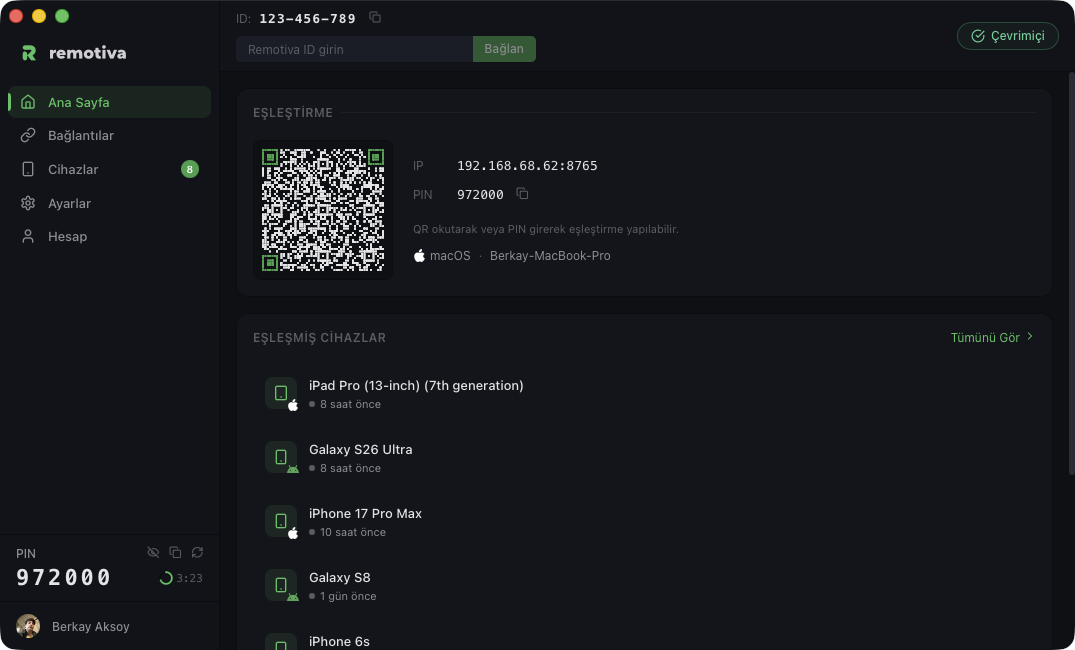
Discovery

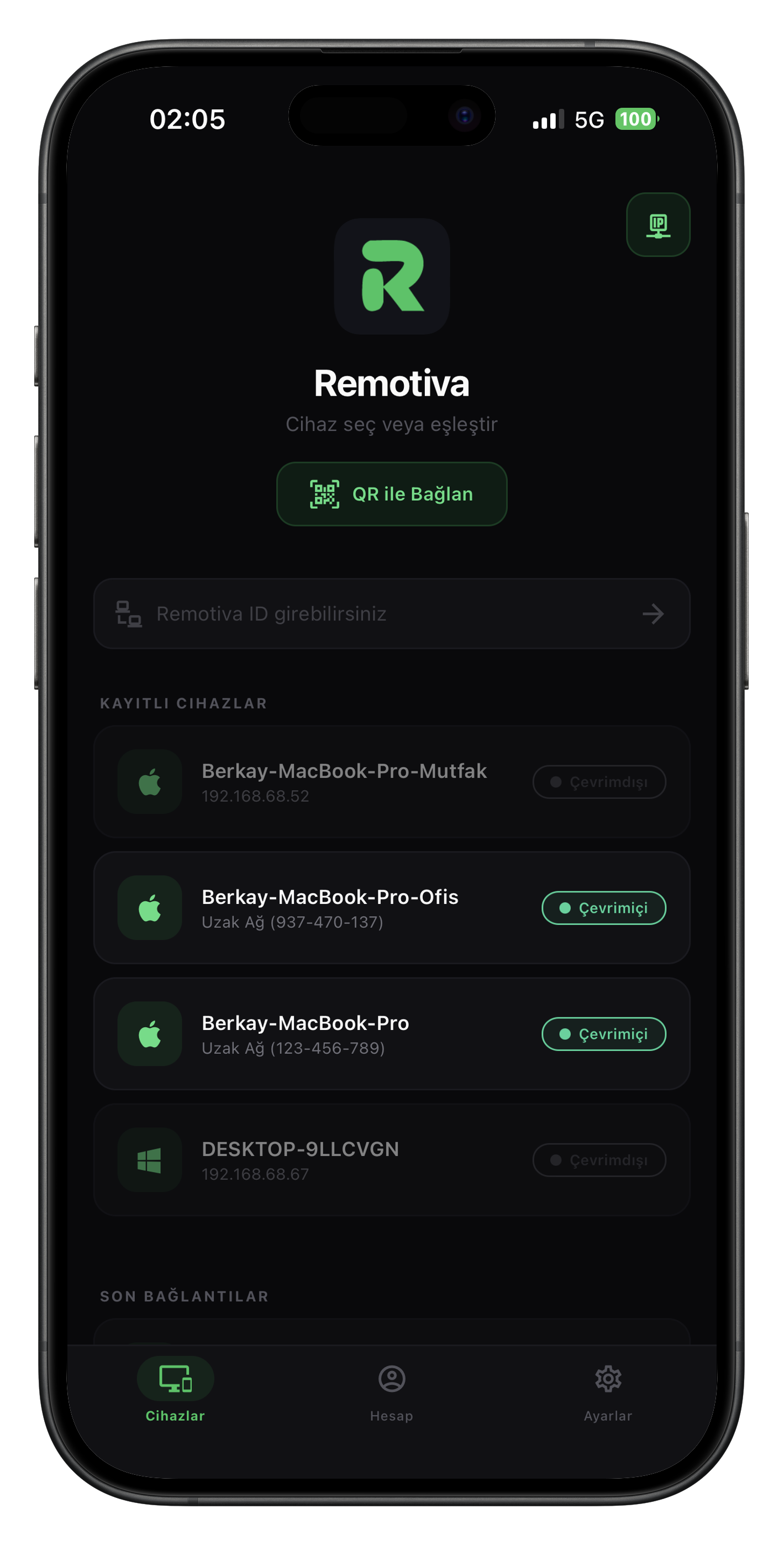
See your devices in one place.

Pair in seconds with QR, verify with PIN. Your paired devices, connection status and session history — all at a glance.

Download for desktop
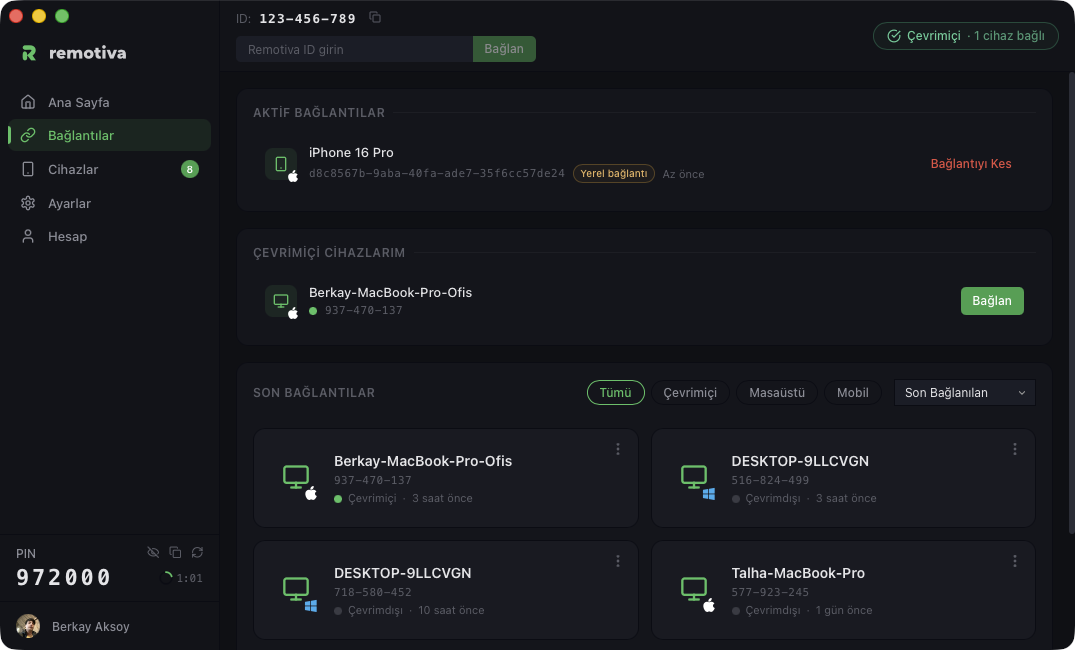
Connections
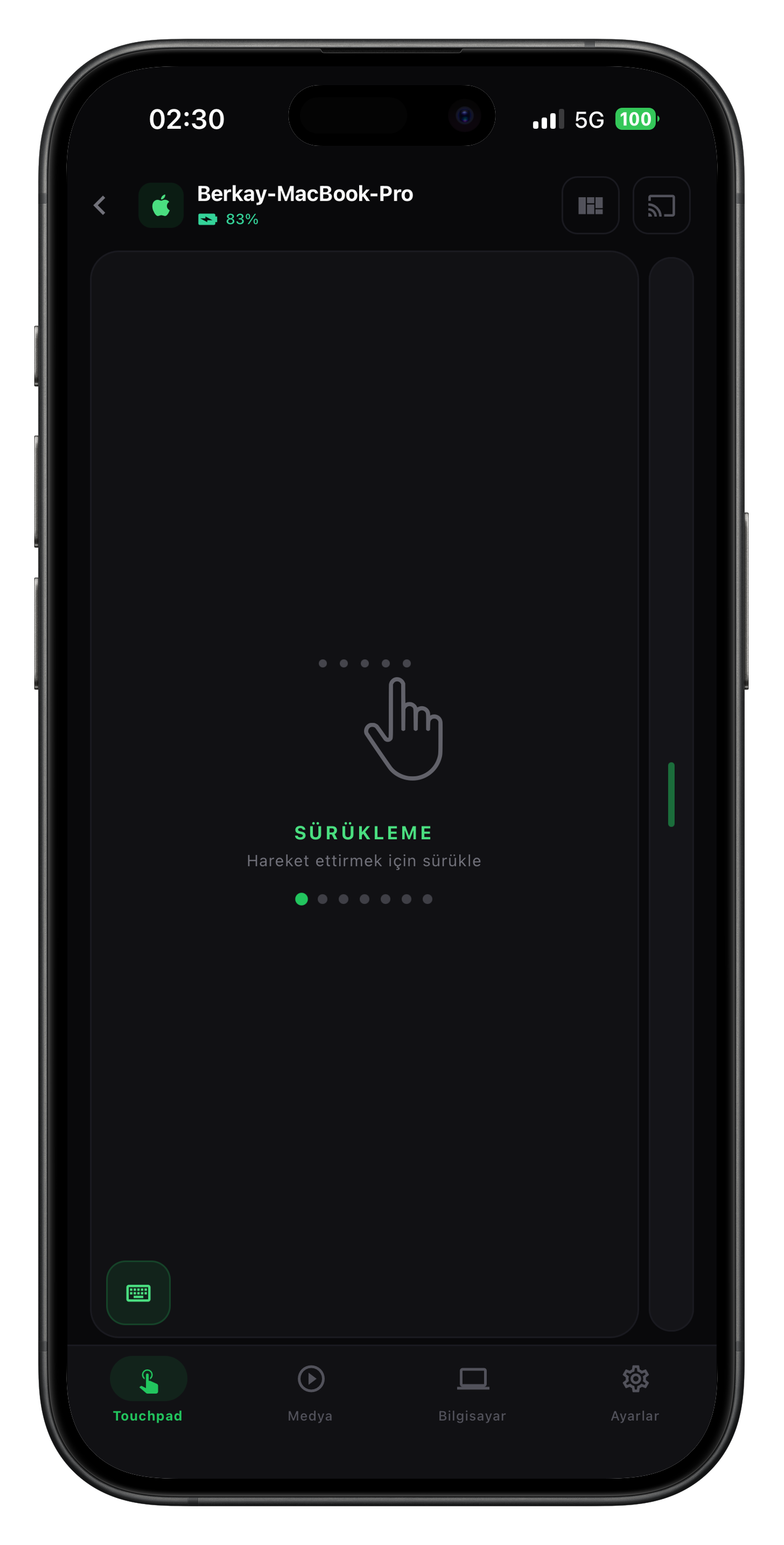
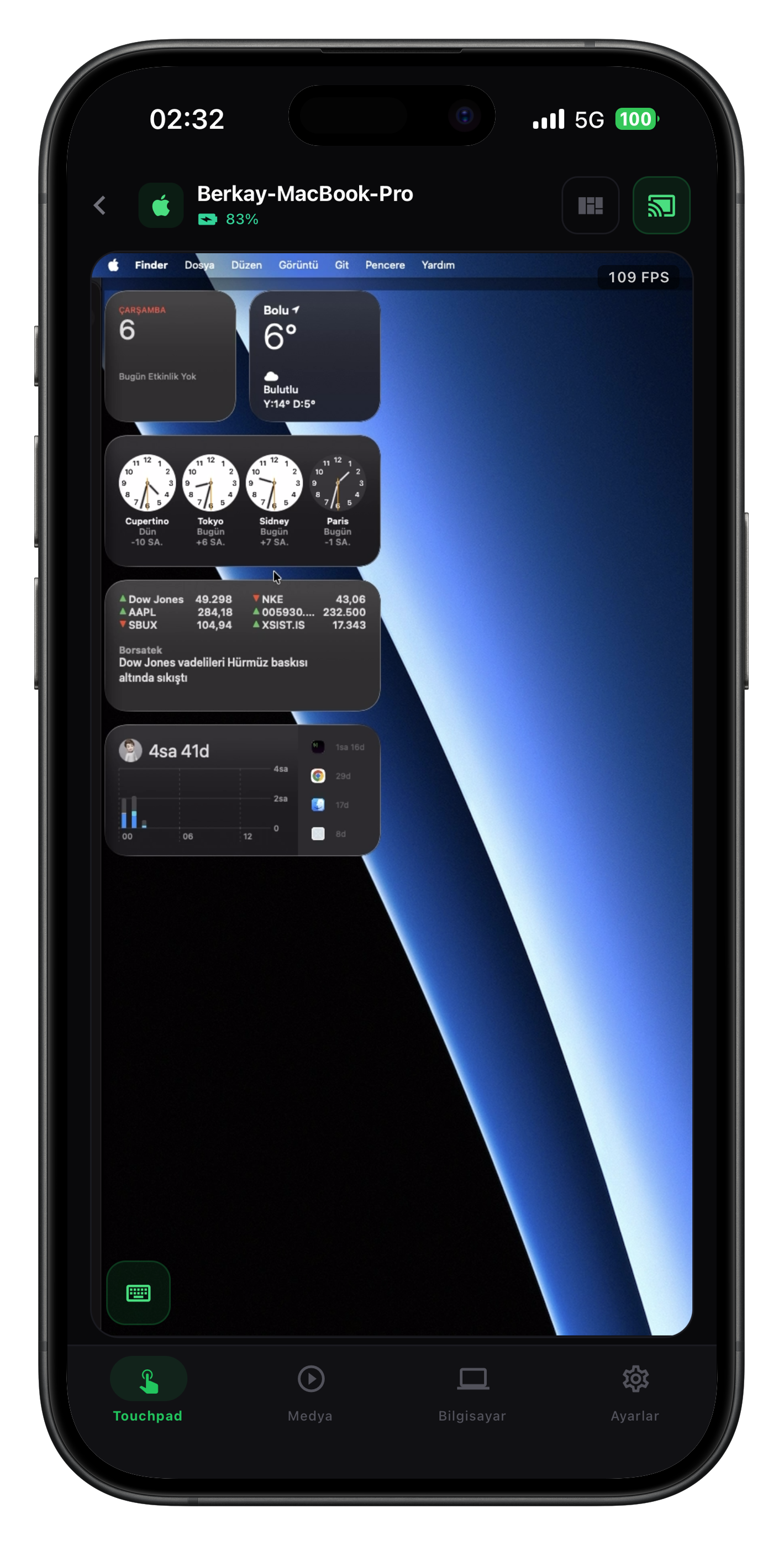
Touchpad

Feels like a trackpad.

Precise finger tracking, multi-touch gestures, adjustable speed. Mirrors macOS's native trackpad behavior pixel for pixel.

Tap to click Two-finger scroll Pinch to zoom Three-finger swipe
Touchpad
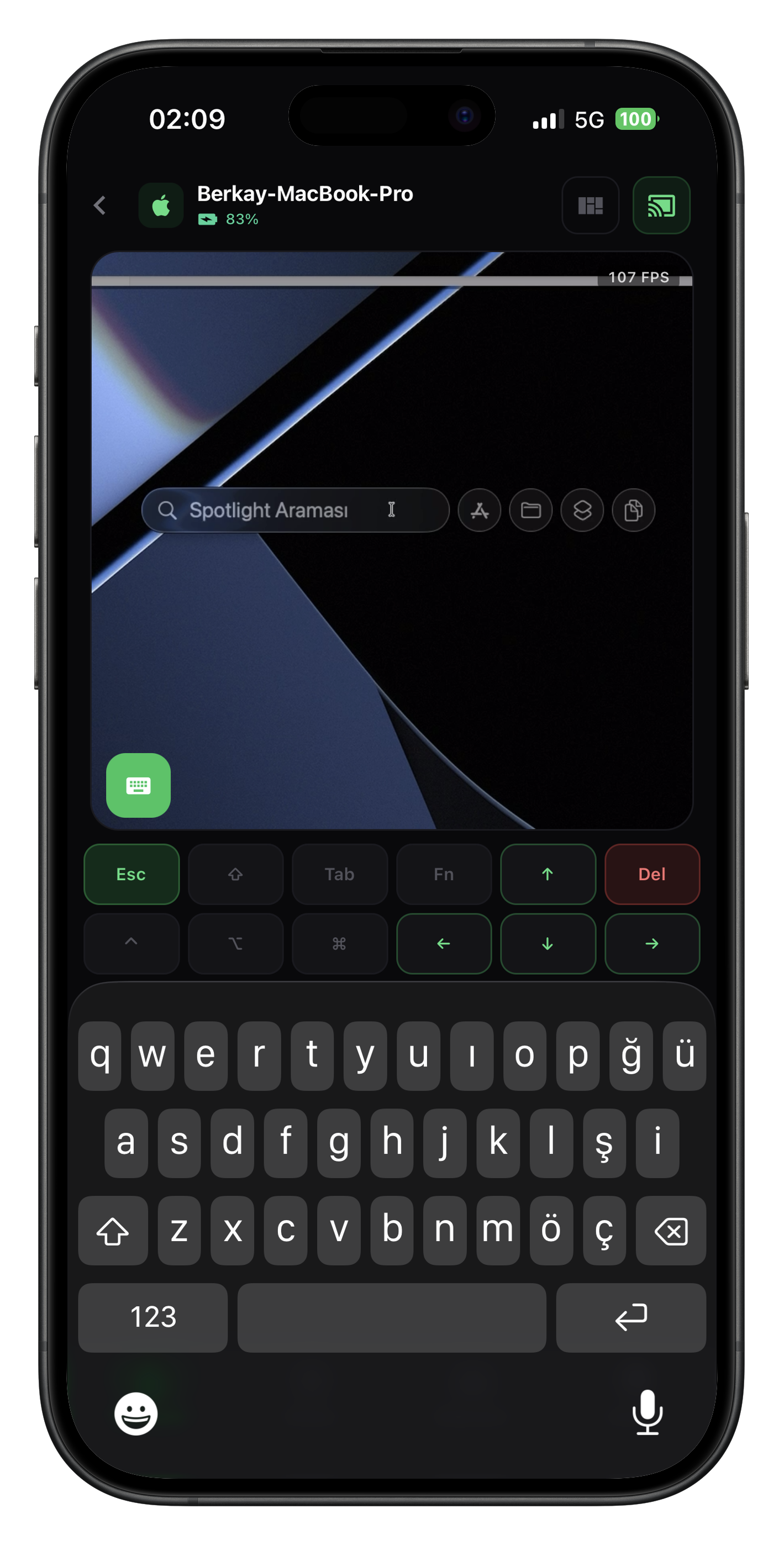
Keyboard

Every key at your fingertips.

Turkish Q, English, function keys, modifier combinations. ⌘ + Tab, ⌥ + Space — send anything, get instant response.

Keyboard
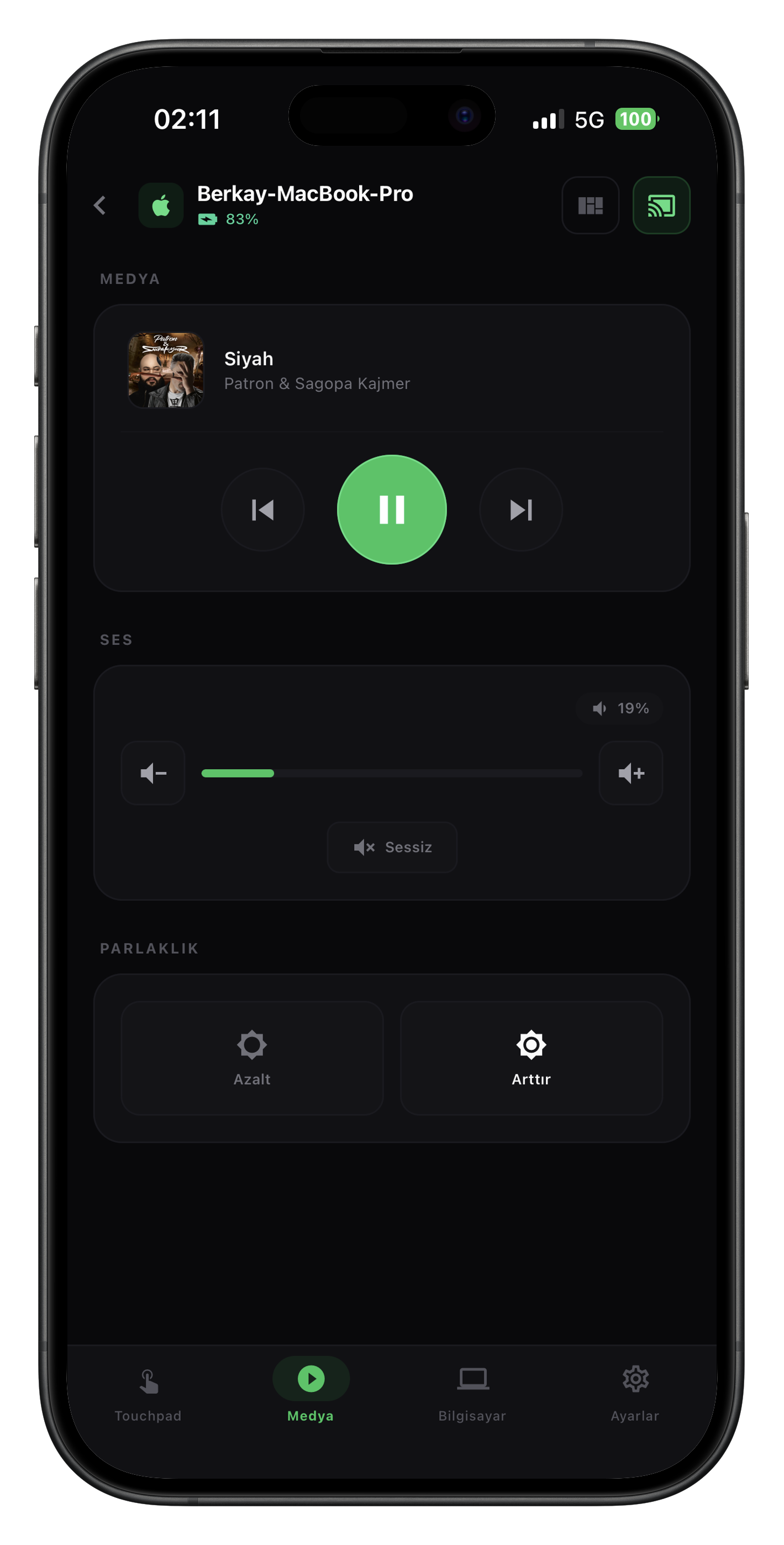
Media

Whatever's playing, in your hand.

Spotify, Apple Music, system player — whichever it is. See what's playing, play, pause, skip back and forth.

Media
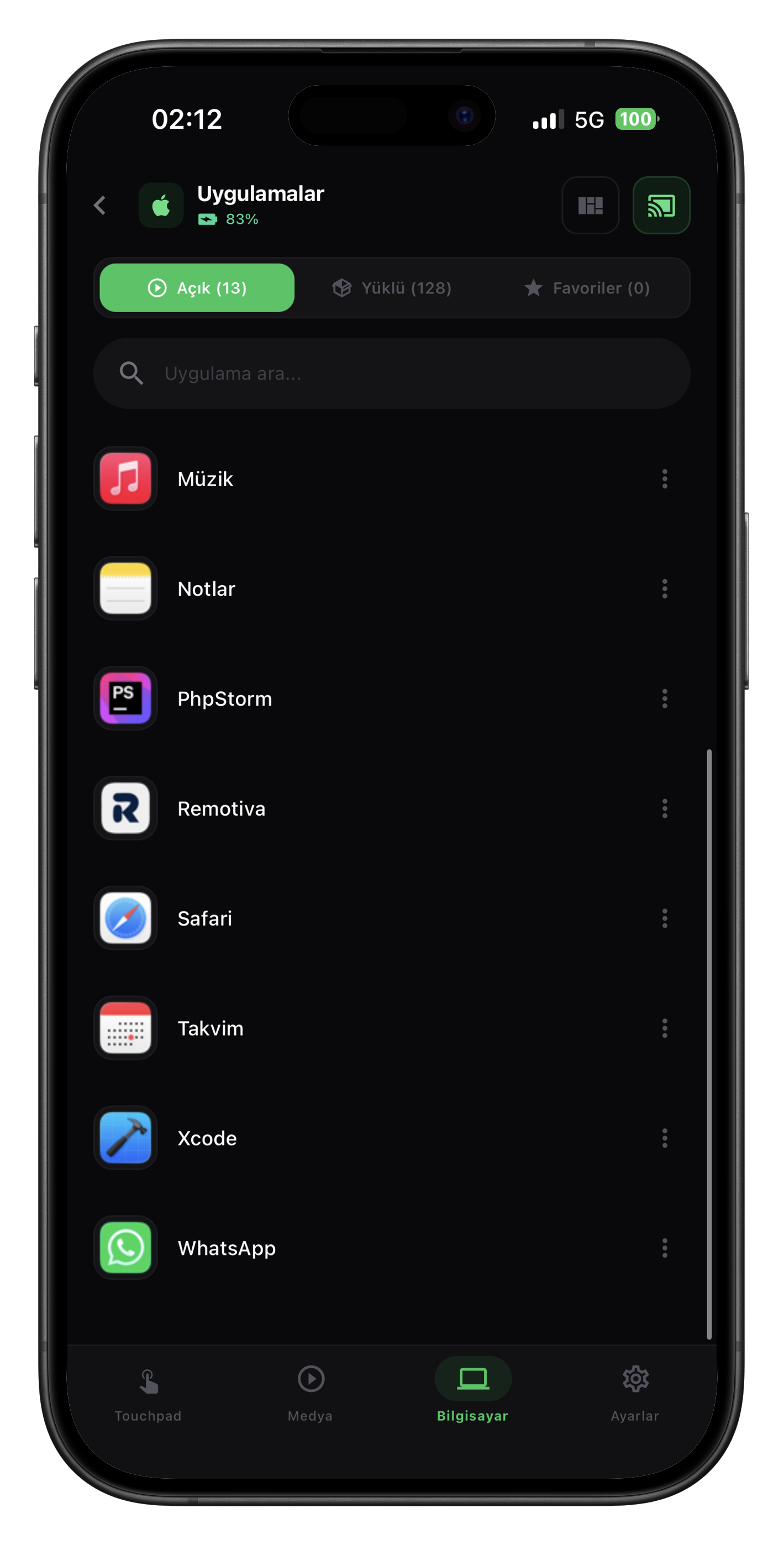
Apps

Everything on your computer, on your phone.

View open apps, focus, close. Three-finger swipe between apps, run quick actions with a single tap.

Apps
Screen mirroring

PC on your phone.

H.265 hardware encoding, WebRTC P2P. Up to 120 FPS live view, portrait mode for one-handed use.

Latency
28 ms
Frames per second
120 FPS
Codec
H.265
Live screen mirror
Appearance

Built around your style.

Pick your theme and accent colour; Remotiva follows it everywhere.

  1. 1Choose dark, light or system theme
  2. 2Tap an accent colour
  3. 3Watch buttons, menus and sliders change instantly
ID: 123-456-789 Enter Remotiva IDConnect ✓ Online

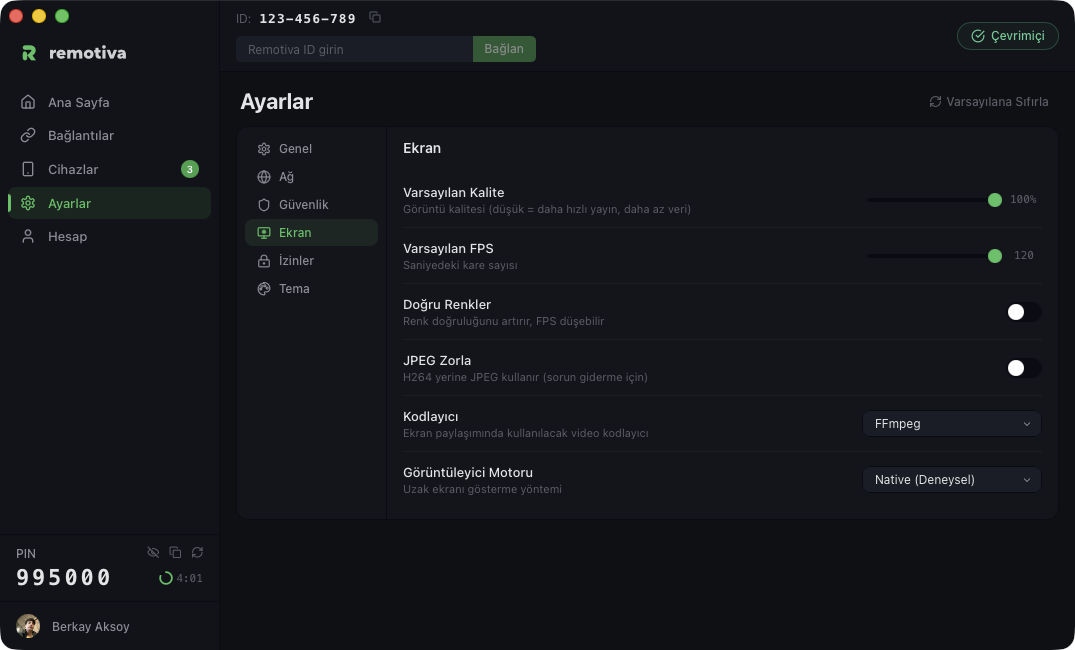
Settings

General Network Security Display Permissions Theme
AppearanceApp theme
Accent colourSelected items and buttons
NotificationsNotify on connection requests
Default qualityScreen sharing · 85%
How it works

Ready in three steps

No complex setup, no mandatory account. Connect in seconds.

Step 01

Install on desktop

Download the desktop app, run it. Lives quietly in the system tray, no resource hog.

macOS Windows · Coming soon Linux · Coming soon
Step 02

Pair your phone

Open the iOS or Android app. Scan the QR code to pair instantly; if you're on the same network, no QR needed — your device is auto-discovered.

Instant via QR Auto-discovery
Step 03

Start controlling

QR pairing confirms automatically; manual and desktop-to-desktop connections require PIN approval. After that, P2P + end-to-end encrypted.

PIN approval End-to-end encrypted
Plans

Simple, transparent, flexible

Try free first, scale as you grow. Cancel anytime, money-back refund.

Free

$0
Free forever
$0
Free forever

Paired devices1

Simultaneous connections1

Frame rate15 FPS

Image quality50%

Streaming time3 min

Start free

No extras · core remote control

Premium

Recommended

$2.99/mo
$19.99 yearly · Save 44%
$19.99/yr
$1.67 per month · Save 44% · $35.88

Paired devices3

Simultaneous connections3

Frame rate60 FPS

Image quality80%

Streaming timeUnlimited

Choose plan
  • File manager · 1 MB/s
  • Remote access
  • Cloud device sync
  • Monitor control

Max

For high-volume applications.

$4.99/mo
$34.99 yearly · Save 42%
$34.99/yr
$2.92 per month · Save 42% · $59.88

Paired devices10

Simultaneous connections5

Frame rate120 FPS

Image quality100%

Streaming timeUnlimited

Choose plan
Try free for 14 days
  • File manager · Unlimited speed
  • Clipboard sync
  • Remote access
  • Cloud device sync
  • TV control
  • Monitor control

Prices include taxes. You can start your subscription here on the website or in the Remotiva app.

Platforms

Erase the line between devices

Today macOS, iOS and Android. Windows and Linux coming soon.

Ready

macOS

macOS 12 Monterey and above. Signed and notarized for Apple Silicon and Intel.

v0.1.15 Apple Silicon / Intel
Download

iOS / iPadOS

iPhone and iPad. iOS 15 and above.

DownloadApp Store

Android

All Android 9+ phones and tablets.

DownloadGoogle Play

Windows

Coming soon

Windows 10 and 11. H.265 hardware encoding verified, final tests in progress.

Final testingIn progress

Linux

Coming soon

Ubuntu, Fedora, Arch. X11 and Wayland support planned.

Ubuntu Fedora Arch X11 · Wayland
Security

Your data stays with you

Remotiva never routes screen or input data through our servers. The connection is established directly between two devices — peer to peer.

Transport

End-to-end encrypted

WebRTC with DTLS-SRTP. Keys rotate per session.

DTLS-SRTP WebRTC Per-session keys
Access

PIN + token auth

Two-layer verification: PIN pairs your device, token keeps the session secure throughout.

Server

Zero-knowledge

Screen content, keystrokes, files. None of it touches our servers.

Device

Open audit

All connection events stored on your device. Inspect, audit, clear them whenever you want.

Connection

Directly between your devices

Screen, keyboard and file streams flow straight between the two devices.

Our server only makes the introduction

Your screen and input data never reach our server; every connection event is stored on your device.

Free

Let's get started

Download Free now. No credit card, no sign-up.